An orchestration mode is only as good as its backlog
Anthropic published a guide on building an orchestration mode: a session-level mode that grants the model standing consent to fan out to parallel subagents, switched on and off with mid-conversation system messages. No special API parameter, just three documented pieces stacked together. I read it, built it, and then hit the input it does not supply: a queue of real, independent work for the orchestrator to fan out over.
What the mode actually is#
The clever part of the guide is that "orchestration mode" is an emergent behavior you assemble from three primitives:
- High effort. Every request runs at a high effort level so the model optimizes for the most thorough answer rather than the cheapest one.
- Mode reminders. Mid-conversation system messages carry the state: a full instruction block when the mode turns on, a one-line refresher every few turns, an exit notice when it turns off. They are placed after the user turn so the cached prefix ahead of them stays intact.
- Standing consent. The fan-out tool's own description says that while a system message confirms the mode is on, the model should author and run a workflow by default, without stopping to ask each time.
Turn those three on together and the agent stops being polite about parallelism. It decomposes the task, spins up a wave of subagents, and synthesizes the results, every time, until you tell it to stop.
Our setup: two backends, same pattern#
I wanted this both ways. The API version bills per token. The CLI version runs on a Claude Code subscription, which is the one I actually wanted to lean on. So I built both as one-shot tools that share the same shape.
API. A faithful port of the guide's reference implementation into a single orchestration_mode.py. A ModeAgent loop holds the message history and toggles the mode with set_mode(). A Workflow tool fans subtasks across a thread pool, capped at ten. Each subagent is its own nested loop with a shell tool and a structured report_findings tool, isolated so one failure returns an error string instead of crashing the run. One command, one orchestrated turn, one synthesized report.
CLI. A custom /orchestrate slash command for Claude Code. Same pattern, different plumbing:
| API version | CLI equivalent |
|---|---|
Custom Workflow tool that fans out |
The built-in Agent / Task tool, parallel subagents |
High effort level (xhigh) |
Opus plus extended thinking ("ultrathink"); the exact analog is Claude Code's ultracode mode, which pairs xhigh with standing multi-agent consent |
| Standing consent in the tool description | The instructions inside the slash command |
The command scouts the task inline first, decomposes it into independent subtasks, fans out a wave of parallel subagents, runs a second adversarial wave that checks the first wave's findings against the source, and then synthesizes. Invoking the command is itself the standing consent, which matters because the default posture is to not spawn agents unasked.
Both are one-shots. You point them at a task, they multiply effort across it, you get one consolidated answer back.
The part the guide leaves out#
Here is where I got stuck, and it is a purpose problem, not a technical one.
An orchestrator is an engine for multiplying effort across a work-list. That is the whole value: take N independent units of work, run them at once, verify them against each other, synthesize. The mode is built to treat cost as a non-constraint precisely because the payoff is supposed to be a lot of real work done in parallel.
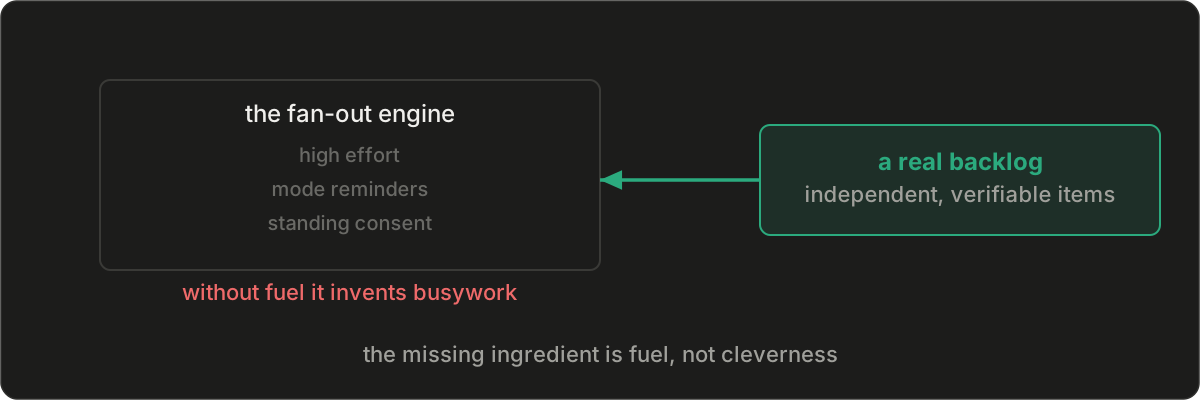
But an engine with no work-list is just an expensive way to answer one question with ten agents instead of one. If I fire /orchestrate at a vague prompt, the model spends its first move inventing subtasks, and invented subtasks are exactly the low-value, overlapping busywork the fan-out was supposed to avoid. The mode does not supply purpose. It assumes you already have it.
So the missing input is a backlog. Not a vague intention, an actual queue of independent, verifiable units of work the orchestrator can pull from and grind through. The quality of the run is bounded by the quality of that list.
This lands in a familiar place for how I already work. Spec-driven development is also a backlog generator. A specs repo full of feature specs, each with acceptance criteria, is a work-list that is already decomposed into independent and verifiable units. The followups files I leave at the end of a session do the same at a smaller grain. The orchestrator does not need me to think up tasks on the spot. It needs me to keep a good backlog, and then it works through it.
That is the next build.